How much does Shopify really cost?
The plan is only part of what you pay to sell on Shopify. Third-party fees, payment gateways, apps and the country your store operates in all change the math, and sometimes switching plans is enough to pay less.
By Javier Tenjo, Full stack developer
On this page
- How much do Shopify plans cost?
- Shopify fees: where the numbers start to change
- Shopify Payments: why does the country matter so much?
- What other Shopify costs are easy to forget?
- Is your Shopify store performing as well as it should?
- When does Shopify stop making sense?
- Shopify or your own store: which is more profitable?
- How do you know if you are overpaying for Shopify?
- Frequently asked questions about Shopify costs
- Conclusion: Shopify is not necessarily expensive, but you should know what it costs you
- Official sources
Shopify lets you launch an online store without building a platform from scratch. But once you are selling steadily, the monthly subscription can end up being one of the smallest costs in your operation.
Picture a store doing USD 20,000 a month. You pay for your plan, you have a handful of apps installed and a gateway to charge your customers. Everything works, orders come in and sales are growing.
Do you know how much money goes into keeping it running each month? Not advertising, inventory or shipping, just the technology and payment costs of selling online. The answer may surprise you.
Shopify is a great fit for many merchants, especially when they need to start selling fast. The trouble starts when the business grows and nobody checks whether the cost structure still makes sense. In this article we break down what Shopify costs, which fees to watch, which expenses tend to go unnoticed, and when it may be worth looking at your own store.
How much do Shopify plans cost?
Shopify has several plans that differ in price, features and fees. And the price is not the same in every country. These are the reference rates from its pricing page for the United States and for Colombia, in US dollars:
| Plan | United States, monthly | United States, yearly (per month) | Colombia, monthly | Colombia, yearly (per month) |
|---|---|---|---|---|
| Basic | USD 39 | USD 29 | USD 25 | USD 22 |
| Grow | USD 105 | USD 79 | USD 65 | USD 58 |
| Advanced | USD 399 | USD 299 | USD 399 | USD 359 |
| Plus | Contract pricing | From USD 2,300 | Contract pricing | Contract pricing |
Reference rates checked in November 2026. They vary by country, promotions, taxes and contract terms, and Shopify sometimes tests different yearly prices depending on the visitor. The yearly price is its monthly equivalent, not a month-to-month charge.
In Chile, Peru and Argentina prices match Colombia’s; in Mexico they are billed in pesos. At first glance, USD 25 to USD 39 a month for an online store looks reasonable, and for many businesses it is: the subscription includes hosting, an SSL certificate, the admin, product and order management, and much of the infrastructure you need to operate.
But the plan price is not the total cost of selling on Shopify. To find that out you need to add payment fees, apps and the other services you use.
Shopify fees: where the numbers start to change
Transaction fees cause the most confusion, because they mix two different things.
1. Payment processing fees
Every time a customer pays by card or another electronic method there is a processing cost. It is charged by Shopify Payments or by whichever gateway you have set up.
In the United States, for example, Shopify publishes online card rates of 2.9% plus USD 0.30 per transaction on Basic, 2.7% on Grow and 2.5% on Advanced. Terms vary by country, card type and payment method.
And there is one detail worth keeping in mind: a custom-built store also has to process payments. Leaving Shopify does not make your bank’s or gateway’s fees disappear.
2. Extra charges for using external providers
This second item deserves closer attention. Shopify may charge an additional fee on certain transactions processed through an external gateway instead of Shopify Payments:
| Plan | Third-party transaction fee |
|---|---|
| Basic | 2% |
| Grow | 1% |
| Advanced | 0.6% |
| Plus | 0.2% |
These percentages come on top of what the external gateway charges; they are not the same thing. They also do not apply to every order: manual methods such as bank transfer or cash on delivery are exempt, and the rules change when Shopify Payments is in use. The exact conditions are in the official documentation on third-party transaction fees.
An example: what does Shopify cost if you sell USD 20,000 a month?
Take a store in Colombia, where Shopify Payments is not available and every card payment goes through an external gateway:
- Monthly revenue: USD 20,000, all by card.
- Current plan: Basic, billed monthly.
- Third-party transaction fee: 2%.
In this scenario you would pay USD 400 a month in third-party transaction fees alone. That is USD 4,800 a year, and USD 14,400 over three years at the same volume. Still without counting the subscription, the apps or the gateway’s own fee.
That does not mean you are losing that money: Shopify gives you infrastructure, features and services that have value in return. But it does show why it pays to know what your platform really costs.
The example is illustrative. Actual charges depend on which transactions are subject to the fee, payment methods, country and store terms. Shopify calculates the fee on a base that can include products after discounts, taxes and shipping.
What if you move to a higher plan?
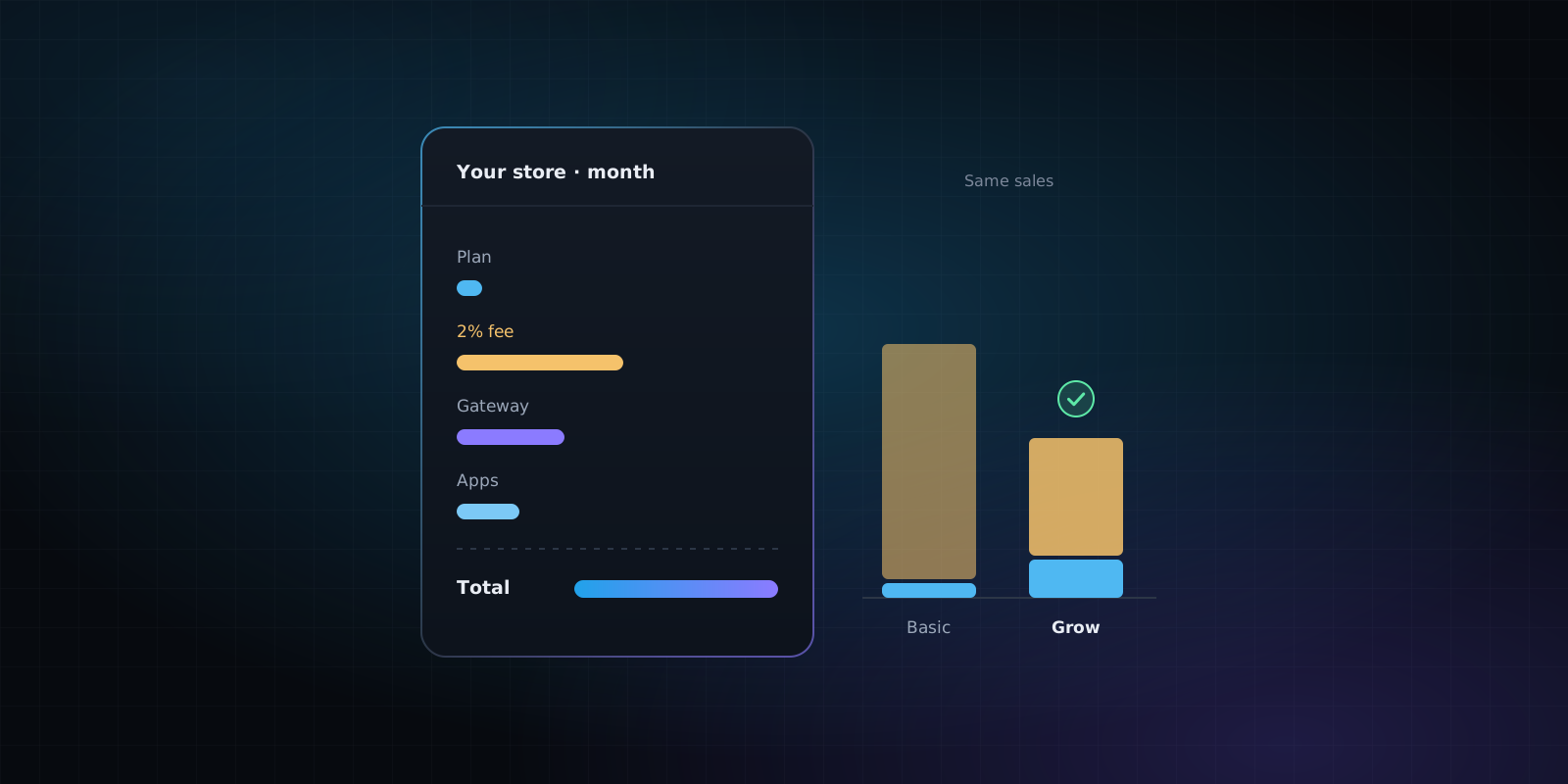
This is an option many merchants overlook: you do not always have to leave Shopify to pay less. Same example, with Colombia’s monthly rates:
| Item | Basic | Grow | Advanced |
|---|---|---|---|
| Subscription | USD 25 | USD 65 | USD 399 |
| Estimated third-party fee | USD 400 | USD 200 | USD 120 |
| Partial monthly total | USD 425 | USD 265 | USD 519 |
Here Grow comes out cheaper than Basic, even though its subscription costs more. The estimated saving is USD 160 a month, about USD 1,920 a year, with no migration, no redesign and no platform change. Just picking the plan that matches your sales volume.
So before you think about migrating, check whether your current plan is still the right one.
Work out what you are really paying
So you do not have to run these numbers by hand, we built the free Shopify cost calculator. Enter your country, plan, approximate revenue, apps and the gateway you use, and it returns your estimated monthly cost, a comparison with the other plans and how much each change would save. It uses each country’s rates, not just US pricing.
No sign-up and no need to connect your store’s admin: the calculation runs in your browser.
Calculate my Shopify costs for free
Shopify Payments: why does the country matter so much?
Not every Shopify store operates under the same conditions. A store in the United States has different payment options from one in Colombia, Mexico or Spain, because Shopify Payments, the platform’s own gateway, is not available in every country or for every type of business.
Mexico and Spain are among the supported countries. Colombia, Chile, Peru and Argentina were not on the official list when this article was written. That means a Colombian store needs an external gateway, with its own rate plus the plan’s third-party transaction fee. A store that can use Shopify Payments has a different cost structure.
Before comparing prices, check the official list of countries where Shopify Payments is available. It is one of the reasons a calculator based only on US prices gives results that are not much use to stores in other markets.
What other Shopify costs are easy to forget?
Fees matter, but they are not the only expense worth reviewing.
Apps and subscriptions
One of Shopify’s big strengths is its app ecosystem. Reviews, abandoned cart recovery, automations, advanced filters, marketing features: there is almost always an app for it.
The catch is that many of them are subscriptions. USD 10 or USD 20 a month for one feature sounds like little, but it adds up once you stack several. Some also charge by usage, number of orders or contacts processed; Shopify explains this in its documentation on app charges.
Using apps is not bad. The healthy habit is to ask now and then which ones add value, which overlap and which could be replaced by a better-integrated feature.
Themes and customization
Shopify offers free and paid themes, but buying a theme does not cover everything a business needs. It is common to adapt product pages, the checkout flow or the mobile experience, or to add specific features, and depending on the project that takes extra development. A theme that is never updated also falls behind the new versions its developer releases.
Domains, integrations and external services
There are also costs for domains, email marketing, inventory systems, invoicing connectors, shipping integrations and automations. Many are not specific to Shopify and would still exist on WooCommerce or a custom build. So when you compare platforms, separate the costs that would actually go away from the ones that would stay.
Costs that never show up on the invoice
There is one more factor worth watching: store performance and maintenance. An app can have a low monthly fee and still add scripts that slow the page down. A product page can be live and taking orders while its description is incomplete, its images are unoptimized or its product markup is weak.
None of these is a direct Shopify charge, but they affect the shopping experience, your visibility on Google and the performance of your campaigns. Which leads to a different question.
Is your Shopify store performing as well as it should?
Knowing what you pay matters; knowing what you get in return matters too. A store can have hundreds of products live and still miss opportunities because of technical issues that are relatively easy to fix. Some worth checking:
- Products with no description, duplicated descriptions or no images.
- Images without alt text.
- Variants with no SKU or duplicated SKUs, which make inventory harder to manage.
- Canonicals, home page title and description, sitemap and robots.txt.
- Incomplete product markup: price, availability, brand and the identifiers Google and Google Shopping rely on.
- Third-party scripts that are heavy or block rendering.
- Languages, markets, currency, and return and shipping policies.
- A theme several versions behind the Theme Store.
Not all of them are serious, and some depend on how each store operates. But spotting them lets you decide on evidence rather than assumptions.
Analyze your Shopify store for free
The Shopify store analyzer reviews a store’s public information without touching its admin. All you need is the domain. It tells you which theme the store uses and whether it is outdated, which apps it loads, and checks the catalog, technical SEO, Google Shopping, performance and markets. Every finding comes with the affected products and the evidence behind it. If you are not sure what a store is built with, start with how to find out what a website is built with.
Analyze my Shopify store for free
On the page you will see a summary of what is most urgent and a sample of products for each issue. If you want the full list, we send it by email, and if you would rather have someone fix it, you can ask us right from the result. The idea is that you understand what is going on with your store before deciding whether you need help.
When does Shopify stop making sense?
There is no universal revenue figure at which Shopify stops being profitable. A store doing USD 5,000 a month can run perfectly well on Shopify, and one doing USD 100,000 may find it just as convenient. It depends on its cost structure and its needs. Even so, there are situations where a closer look is worthwhile.
When recurring costs grow with sales
If a good share of your costs depends directly on transaction volume, every month of growth also raises what you pay the platform. That is not necessarily a problem, but it is a reason to review rates and alternatives from time to time.
When you rely on too many apps
If you need several apps to keep essential features running, it is worth knowing what they cost together. Sometimes a custom integration pays off in the long run; other times, apps are still the cheapest option.
When you need processes Shopify does not handle easily
Some merchants have customer-specific pricing, complex integrations, quoting workflows, an ERP or unusual inventory needs. Shopify has APIs and customization options, but not every process is equally simple or affordable to build. The more particular your operation, the more the architecture matters.
When the accumulated cost justifies studying another platform
A migration means an upfront investment. If the operational savings and functional advantages justify it, that investment pays itself back over time. The question is not just how much it costs to build your own store, but this:
What would it cost to run each option over the next three to five years?
Shopify or your own store: which is more profitable?
It depends on the business. Shopify offers managed infrastructure, updates, hosting, platform security and an integration ecosystem, and that has an economic value you should not ignore. Your own store can give you more control over certain features, integrations and architecture decisions, but it also takes investment and maintenance.
| Factor | Shopify | Your own store |
|---|---|---|
| Upfront investment | Usually lower | Usually higher |
| Hosting | Included in the service | Requires infrastructure |
| Platform updates | Handled by Shopify | Depends on the solution and contract |
| Additional platform fees | May apply | Depend on the chosen solution |
| Payment processing | Has a cost | Also has a cost |
| Customization | Depends on plan, APIs and theme | Depends on architecture and budget |
| Technical maintenance | Partly handled by the platform | Has to be planned from day one |
Your own store is not automatically cheaper. For some small merchants, migrating would mean taking on costs they do not have today. In other cases, custom development is justified once recurring costs, integrations or operational limits are really weighing on the business.
What matters is comparing real scenarios. The calculator projects Shopify against your own store at 12, 24 and 36 months using the costs you enter, and estimates the month the investment would pay back when there is enough data. It compares against the cheapest Shopify plan for your volume, not the one you are on now, so the saving from switching plans is not counted as a saving from migrating.
Compare Shopify with your own store
How do you know if you are overpaying for Shopify?
Before switching platforms, run a simple four-step exercise:
- Review your invoices. Note what you pay for the subscription, apps, additional fees and external services.
- Check whether your plan still fits. A higher plan can have lower fees and end up cheaper past a certain sales volume.
- Analyze how your store is performing. Look at catalog quality, performance and the technical issues that may be holding sales back.
- Compare alternatives. If there is a real saving or a significant need for customization, work out what it would cost to build and maintain.
You do not have to do it blind: with the two free tools you can start the analysis without committing to anything.
Frequently asked questions about Shopify costs
How much does Shopify charge per month?
It depends on the plan, the country and whether you pay monthly or yearly. In the United States, Basic costs USD 39 a month, or the equivalent of USD 29 a month billed yearly; in Colombia, USD 25 or USD 22. Grow and Advanced cost more. Always check the rates for your country before signing up.
Does Shopify take a cut of every sale?
There may be a payment processing fee and, in some cases, an extra charge for using an external gateway. Not every transaction carries the same charges.
Does Shopify charge you even if you do not sell?
Yes. The subscription and some recurring charges keep running even if the store makes no sales, as long as the services are active.
Is Shopify Payments available in every country?
No. It depends on the country and on the business meeting the requirements. Check the official conditions before calculating your costs.
Is WooCommerce cheaper than Shopify?
Not necessarily. WooCommerce removes some platform fees, but it needs hosting, maintenance and often extensions or extra services. The comparison has to include every cost.
Does your own store get rid of per-sale fees?
Not entirely. You can avoid the fees tied to a specific platform, but you will still pay for payment processing and other services.
How do I know whether migrating makes sense?
Compare what you pay today with the upfront investment and maintenance of the alternative, and factor in features, integrations and expected growth. A multi-year projection tells you far more than comparing monthly fees.
Conclusion: Shopify is not necessarily expensive, but you should know what it costs you
Shopify can be an excellent platform for selling online. It lets you launch fast and offers features many businesses would otherwise have to build or buy separately. But what made sense when you started selling is not necessarily the most efficient option as the business grows.
Sometimes the best move is to switch plans. Other times, to clean up your apps or fix technical issues. And for some businesses it will be worth evaluating a different e-commerce architecture. These are decisions best made with data, not with promises of savings, and for that you have two free tools:
- Shopify cost calculator: your estimated costs, a plan comparison and a projection against your own store.
- Shopify store analyzer: the technical issues and improvement opportunities visible from outside your store.
If after the analysis you need help optimizing your Shopify store, improving its rankings or evaluating a custom store, we can support you from diagnosis to implementation. The goal is not to switch platforms for the sake of it, but to make technology work for your business.
Official sources
- Shopify: plans, pricing and fees.
- Shopify Help Center: third-party transaction fees.
- Shopify Help Center: Shopify Payments supported countries.
- Shopify Help Center: international fees and costs.
- Shopify Help Center: app charges.
- Shopify Help Center: types of charges on your bill.
Rates are indicative and may change. The examples do not reflect any particular store’s terms and are not a quote for services.
Try it
- Shopify cost calculatorWhat your Shopify store really costs, which plan suits you and when your own store would make sense.Open the tool, free
- Shopify store analyzerFind out which theme a Shopify store uses, whether it is outdated, which apps it loads and whether it has the policies Google and shoppers expect.Open the tool, free